ardelvo.

Memory & flash cards

Server DIMMs, accelerator memory and removable flash do different jobs. Start with the memory type, then check capacity, bandwidth and compatibility.

Server RAM is working memory. GPU memory is attached to the accelerator. An SD or microSD card stores data persistently. Buying more of one does not automatically replace a shortage of another.

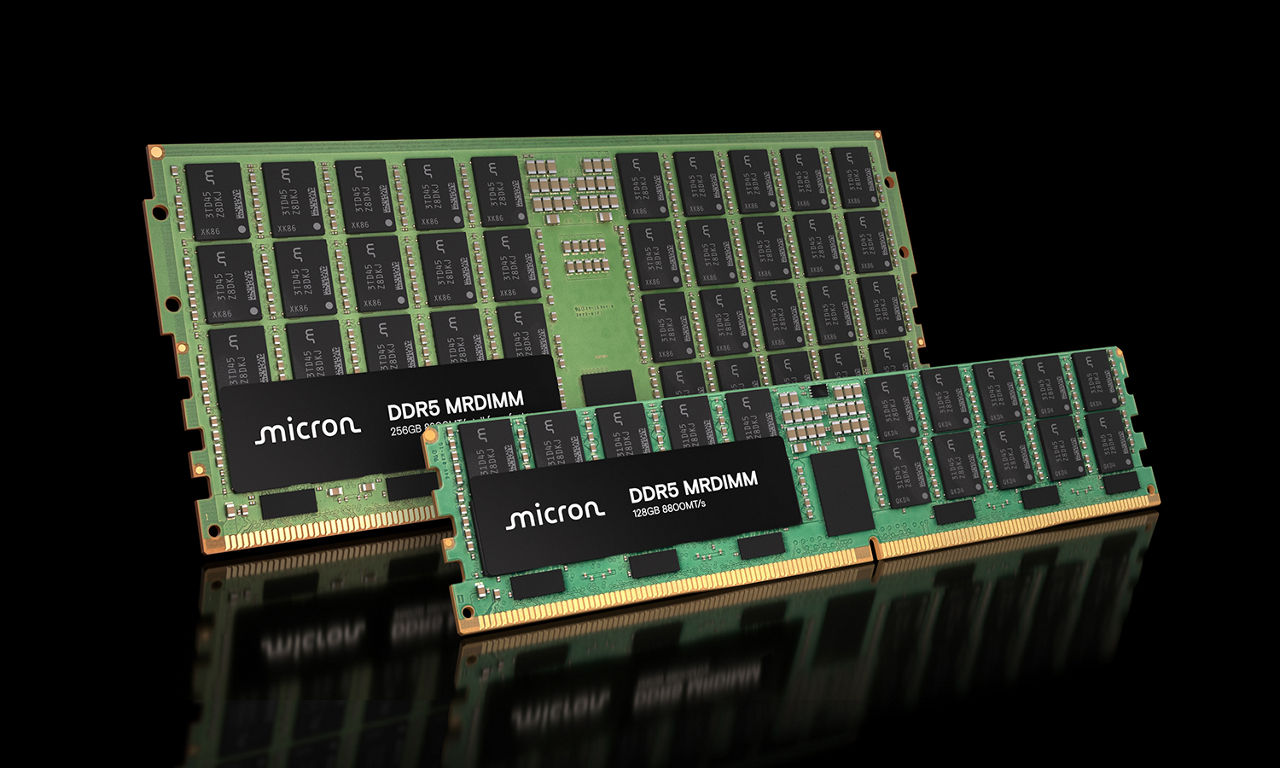
Micron DDR5 MRDIMM modules
Micron DDR5 MRDIMM modules · Image courtesy of Micron. Manufacturer source

Server memory: DDR5 RDIMM and MRDIMM

DDR5 ECC RDIMM

RDIMMs are common in supported enterprise server platforms. Kingston’s Server Premier DDR5 family includes ECC registered modules. The CPU and server determine supported capacity, speed and slot population.

Check: the OEM qualified list, module rank, capacity per slot and channel population rules. Desktop UDIMMs and server RDIMMs are not interchangeable.

Kingston Server Premier DDR5

Micron MRDIMM

Micron’s DDR5 MRDIMM offering includes 8800 MT/s modules for supported Intel Xeon 6 platforms. MRDIMM is a platform-specific memory choice, not a universal upgrade for every DDR5 server.

Check: CPU support, BIOS level, thermal conditions and approved population rules before choosing modules.

Micron MRDIMM platform details

Understand the memory hierarchy

Accelerator memoryHBM or GDDR holds data used directly by the GPU or AI processor.
Host memoryDDR memory serves the CPU, operating system and data preparation pipeline.
Persistent storageNVMe and other storage retain datasets and model files when power is off.

Moving data between these layers takes time. Offloading to host RAM or SSD can expand what fits, but it changes performance. Measure the complete execution path.

SD and microSD: small storage, specific jobs

SanDisk Industrial microSD

Industrial microSD products are designed for embedded and industrial uses, including certain gateways and network equipment. Select the exact endurance, temperature and host-support specification for the device.

Use removable flash for a server boot or logging role only when the equipment vendor supports it. It is not a replacement for RAM or an enterprise NVMe data tier.

SanDisk industrial microSD

Read beyond the capacity label

  • Confirm supported card format and filesystem.
  • Match endurance to continuous writes and logging.
  • Check operating temperature and retention requirements.
  • Use supported health-monitoring and replacement procedures.

Capacity and speed need separate checks

QuestionWhy it matters
How much memory does the workload actually use?Include the OS, application, caches and growth headroom.
How are memory channels populated?A large capacity with unbalanced channels may limit bandwidth.
Is the quoted speed supported in this configuration?CPU model, DIMMs per channel and BIOS can change operating speed.
What error reporting is available?Monitor correctable and uncorrectable errors through platform tools.

For GPU memory sizing, include model weights, activations, KV cache and runtime overhead. See the GPU selection guide

Planning a hardware change?

Send us your workload, platform and site requirements.

Discuss your project

Manufacturer references reviewed 13 September 2026. Examples are informational, not a statement of stock, resale authorization or guaranteed compatibility. Confirm the exact SKU and platform documentation with your supplier.